Absences: leave and sickness
Your leave and sick days sit next to your hours: in Time tracking → Absences. This needs extended time tracking. Balances, requests and the team calendar also need Absence management, which your organization admins switch on.
An absence never stops you from recording time. It is planning.
Working hours and holidays
Under Settings → Time tracking → Working hours you set your planned hours per weekday and the holiday calendar you follow.
- Until you set your own, the server's default applies.
- A change applies from the date you pick. Earlier weeks keep their hours.
- Holiday calendars are kept by organization admins. Usually one follows the public holidays of a region and fills itself again every year.
Weekends, holidays and days without planned hours cost no leave.
The absences view
Absences has four pills:
- Mine: your days, past and coming, with search, type filter and order.
- Requests: what you asked for and what became of it.
- To decide: the inbox for people who decide requests. Empty for everybody else.
- Balances: what you are entitled to this year.
A fifth pill, Team, appears when the team absence calendar is on.
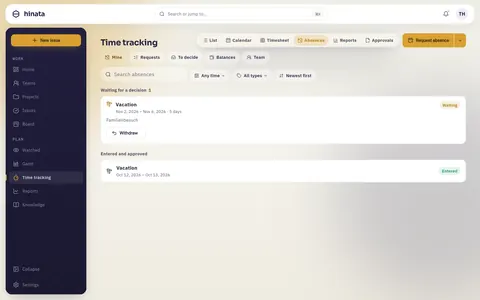
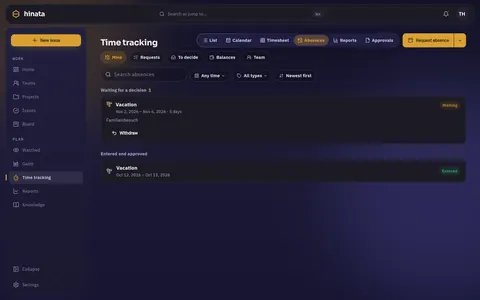
You start from Request absence in the head, the + on a phone, the day menu in the calendar (long press or right click) or Ask for time off in the ⌘K palette. A tap on an absence opens it and offers exactly what is still possible.
Requesting leave
- Tap Request absence.
- Pick the type and the days. Where the type allows it, mark the first or last day as a half day.
- Add a note if you like. It is read by whoever decides.
- Pick a Stand-in if you like. That person is told and has nothing to confirm.
- Send it.
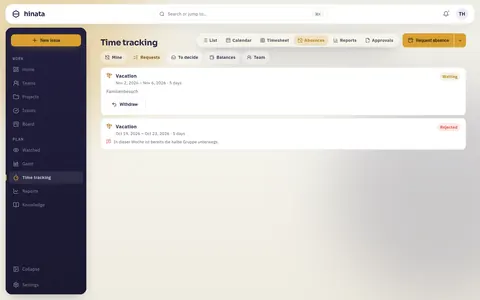
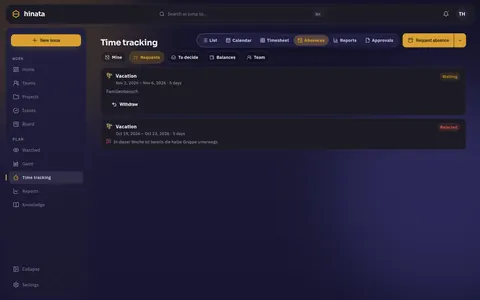
While you pick the days, the server shows what the span costs: working days, public holidays inside it and what is left afterwards. A warning tells you when the balance does not cover it or the notice is shorter than the type asks for. Warnings block nothing.
A requested day is hatched in the calendar and carries an hourglass. You can still record time on it.
Change your mind
- While nobody has decided, you can withdraw or edit a request. The days are worked out again.
- An approved absence you can cancel yourself until it starts. The days go back to your balance and whoever decided is told.
- Once it has started, only the people who keep absences can change it.
Deciding requests
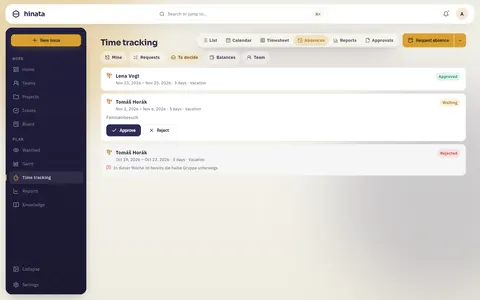
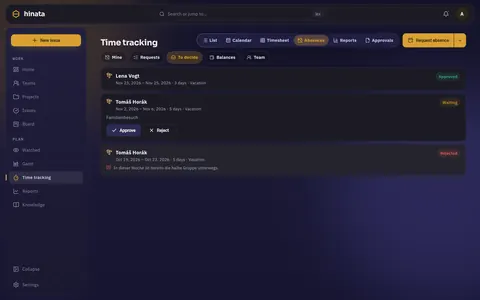
Each card in To decide shows the person, the span, the number of days and warnings: balance too small, notice too short, how many others are away at the same time. It never shows how many days someone has left.
- A rejection needs a reason. The person who asked sees it.
- Nobody decides their own request, organization admins included. If nobody else is left, the request goes to the organization admins.
- A type set to Automatic approves on arrival, and the history says so.
Reporting sickness
Report sickness asks only for the days. It takes effect at once, also backwards, and needs no approval.
- You upload no certificate in Hinata. Since 2023 the employer gets the sick note (eAU) straight from the health insurer (§ 109 SGB IV).
- You still tell your employer yourself. Hinata is not that report.
- If you fall ill on days of approved leave, those days go back to your balance by themselves and the leave gets shorter (§ 9 BUrlG). Whoever approved the leave learns that it got shorter, not why.
Who sees sickness as sickness: only the people named to keep absences. If nobody is named, the organization admins. Everybody else, the team calendar included, only sees Away.
Your balance
Balances shows per type: Entitled, Taken, Planned and Left, plus what was carried over from last year.
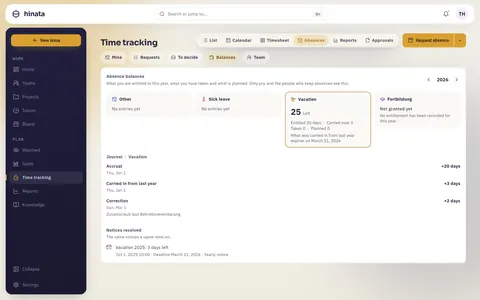
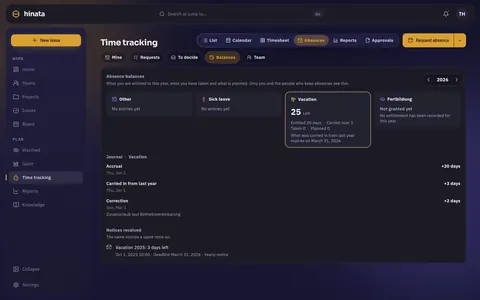
- Planned are approved days still ahead. Left is what you can still ask for.
- Journal lists every movement with its date and reason. Every number can be traced back to it.
- Not granted yet means nobody entered this year's entitlement yet. It says nothing about your contract.
Carry-over and expiry
Depending on the type, unused days carry into next year: none, all or up to a limit. Carried days expire on a set date, 31 March by default.
Days only lapse after you were told. Hinata sends a yearly notice (by default on 1 October) and another one six weeks before the deadline, in the app, by mail and as push. Your notices are listed under Notices received.
The team absence calendar
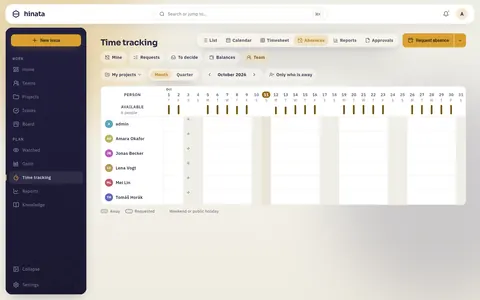
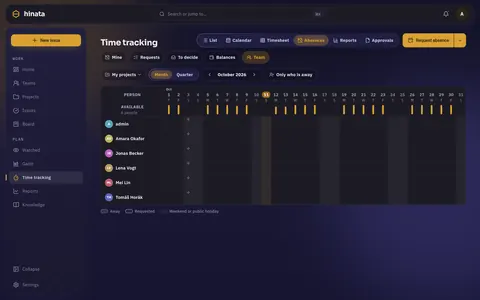
If the team absence calendar is on, Team shows who in a group is away when.
- Pick the group (My projects, a team or a project) and switch between Month and Quarter.
- Your organization decides how much shows: nothing, only Away, or the absence type. Sickness always shows as Away.
- Requested spans are hatched, approved ones filled.
- Leads and the people who keep absences also see a capacity band: planned hours minus holidays and approved absences. It is always a sum over at least three people.
- On a phone the calendar becomes a list by week.
The dashboard card Away today lists who in your projects is away today.
For people who keep absences
Organization admins can name people who keep absences. They find Manage absences in their settings.
Absence types
Three types are built in: Vacation (20 days a year, decided by organization admins, six months waiting period), Sick leave (never approved) and Other (unpaid). They can be adjusted but not removed. A type that was used is retired, not deleted.
Each type sets:
- Paid, Counts against a quota and Days per year.
- Accrual: No accrual, Once a year or Monthly.
- Carry into next year: No carryover, Unlimited or Up to a limit, and Carried days expire on.
- Negative balance allowed, with the deepest balance.
- Needs approval and Who decides: Team lead, Named people, Organization admins or Automatic.
- Half days allowed, Notice, At most in one stretch and What others see.
Entitlements and the journal
Entitlements shows where each person stands per type and year.
- Grant a year gives the entitlement to one person or many. A preview shows what each person gets before anything is written.
- Book a correction moves a balance by an amount and always asks for a reason.
- Every booking goes into the journal. Balances are computed from it, never stored.
A nightly year run carries days over and books lapses. A lapse is only booked when the notice was recorded in time. Where the law may keep days alive longer, for example after long sickness, the run makes a proposal and a keeper decides.
The law behind it
This page keeps the legal part short. Leave law, sickness data and who may see what are on Time tracking: privacy & law.
Next steps
- Your hours: Extended time tracking.
- For admins: switching it on and setting the rules.