Admin area#
Most of Hinata's operational configuration is not frozen into environment variables at boot — it lives in the Admin area, an in-app control panel that writes its settings to MongoDB. This is a defining trait of the platform: the database overrides the environment, and changes apply without a restart. You configure a running instance live, from the same app your users are in.
Who can access it
The Admin area requires the ADMIN role, and every endpoint under
/api/v1/admin/** is gated to admins server-side. Regular users never see it.
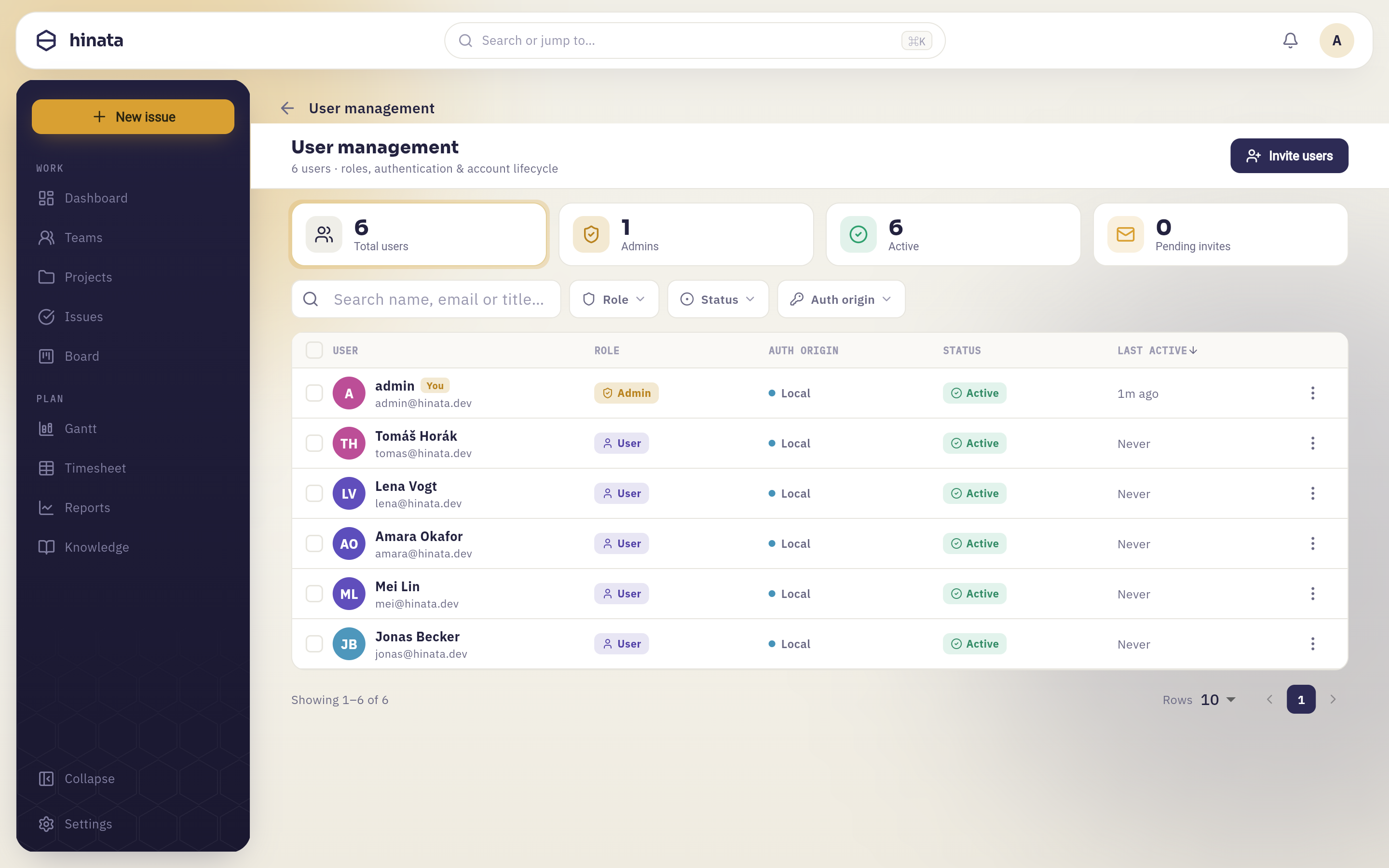 The admin area — users, app settings, SSO, Git and mail-to-ticket, all at runtime.
How runtime configuration works#
Bootstrapping a server needs only a handful of environment variables (a JWT secret, database connection, mail relay). Everything else — SSO providers, e-mail ingest, Git OAuth apps, app-level settings — is configured in the Admin area and stored in MongoDB. Three rules follow:
- DB overrides env. Environment values such as
hinata.app.*are defaults. A value you set in the Admin area wins over the environment. - No restart required. Update a provider or a flag and it takes effect on the next request — no redeploy, no container restart.
- Secrets are write-only. OAuth client secrets, tokens and passwords can be set but are never echoed back by the admin API. Stored Git tokens are additionally AES-GCM-encrypted at rest.
The sections#
The Admin area is organized into groups: General, App and Security; Authentication, E-mail and Git integration; and Audit log and Users.
Users#
Manage the people on your instance: approve pending registrations, enable
or disable accounts, and assign roles (including ADMIN). When
self-registration with admin approval is turned on (see below), new sign-ups
queue here until an admin lets them in.
App settings#
Control how clients behave against your server:
- Minimum version (
minVersion) — the version gate. Clients older than this are force-updated. OverridesHINATA_APP_MIN_VERSION. - Privacy policy URL — the link the app shows; required for App Store / Play
releases and GDPR. Overrides
HINATA_PRIVACY_POLICY_URL. - Feature flags — toggle platform features, including the auth flags
localAuthEnabled,registrationEnabledandrequireAdminApproval, plus arbitraryname → enabledflags you add.
These override the matching env vars
Anything you set here under App settings wins over the corresponding
hinata.app.* environment variable. Env values are just the starting point
for a fresh instance.
Authentication & SSO#
Configure how people sign in. Toggle local authentication, self-registration and admin approval, and register SSO providers — OpenID Connect, OAuth 2.0, SAML 2.0 and LDAP (Synology SSO, Keycloak, Authentik, Azure AD, Google, …). Providers are stored in Mongo and apply immediately. See Authentication and Single sign-on.
Git integration#
Register one OAuth app per provider (GitHub, GitLab, Bitbucket) so projects can connect their repositories. You enter the client id + secret, the public API base URL used for the OAuth callback and webhooks, and an optional token-encryption secret. This is the platform-wide, one-time setup; projects then connect individual repos in their own settings. See Git integration.
E-mail (mail-to-ticket)#
Configure IMAP polling so inbound e-mail is turned into issues. Like everything else here, it is stored in Mongo and applies without a restart. See E-mail to ticket.
Audit log#
Review a record of administrative and security-relevant actions on the instance.
Where to go next#
- Single sign-on — connect an identity provider.
- Git integration — OAuth apps and per-project repos.
- E-mail to ticket — turn inbound mail into issues.
- Authentication — accounts, registration and 2FA.